

Which Tag Comes First in an HTML Document?
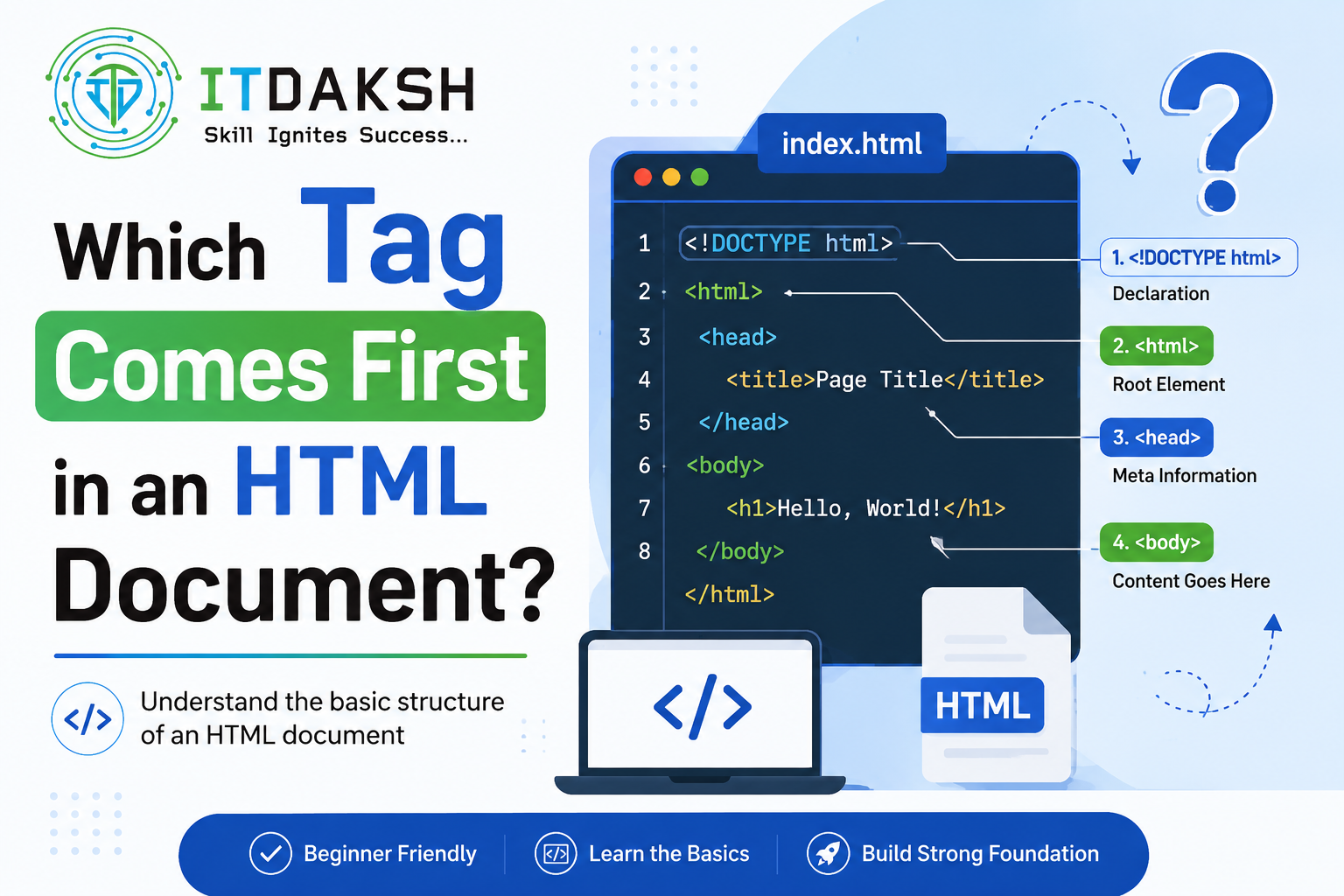
If you've searched this question, you've probably already noticed the internet doesn't fully agree with itself. Some sources say <html> is the first tag. Others insist it's <!DOCTYPE html>. Both answers show up in the top results, and neither explanation usually tells you why there's a difference.
Here's the short version: <html> is the first actual HTML tag, but <!DOCTYPE html> must appear before it as the very first line of the document. The confusion exists because <!DOCTYPE html> looks like a tag but technically isn't one — it's a declaration. This article clears up that distinction properly, walks through the correct structure of a full HTML document, and covers the mistakes beginners commonly make with tag order.
What Is the First Tag in an HTML Document?
To answer this precisely, you need to separate two things that look similar but aren't the same:
<!DOCTYPE html> a declaration, not a tag This line tells the browser which version of HTML the page is written in. In HTML5, it's simply <!DOCTYPE html>. It has no closing tag, doesn't wrap any content, and isn't part of the HTML element tree the way <html>, <head>, or <body> are. Technically, it's a document type declaration, not an HTML tag.
<html> the actual first tag Once the DOCTYPE declaration is out of the way, <html> is the first real HTML tag in the document. It's also called the root element, because every other tag in the page <head>, <body>, and everything inside them is nested inside it.
So the accurate answer, depending on how the question is phrased, is:
If the question is "what's the first line of an HTML document?" →
<!DOCTYPE html>If the question is "what's the first tag?" →
<html>
Most exam questions and interview questions are really asking about <html>, since <!DOCTYPE html> is usually taught separately as a declaration rather than a tag. But a strong answer acknowledges both, since that's exactly where most learners get tripped up.
(learn more: https://www.itdaksh.com/blog/online-javascript-compiler-what-it-is-how-it-works-and-best-tools/ )
The Correct Order of Tags in an HTML Document
Here's what a complete, valid, minimal HTML5 document looks like, with every tag in its correct position:
html
<!DOCTYPE html>
<html lang="en">
<head> <meta charset="UTF-8">
<title>My First Web Page</title>
</head> <body>
<h1>Hello, World!</h1>
<p>This is my first HTML page.</p>
</body> </html>
Reading this top to bottom:
<!DOCTYPE html>the declaration, always the first line, with nothing above it, not even a blank line or comment.<html>the root tag that wraps the entire page. Everything else lives inside it.<head>comes first inside<html>. It holds information the browser needs but that isn't directly displayed on the page, like the page title and character encoding.<title>and<meta>sit inside<head>, defining the browser tab title and document metadata.<body>comes after</head>, and contains everything the user actually sees: headings, paragraphs, images, and so on.
This order isn't arbitrary. Browsers expect it, and deviating from it for example, putting <body> before <head> can cause inconsistent rendering across different browsers, even if the page still loads.
Why Does Tag Order Matter in HTML?
Browsers rely on predictable structure. Browsers parse HTML top to bottom, and the
<head>needs to be processed before<body>so metadata (like character encoding and the page title) is available before content renders.Standards compliance. A missing or misplaced DOCTYPE can push older browsers into "quirks mode," where CSS and layout behave inconsistently compared to modern "standards mode" rendering.
Validation and accessibility. Tools like the W3C Markup Validator check tag order and nesting. Getting this right from the start avoids a long list of validation errors later.
Professional habit-building. Getting comfortable with correct structure early makes it much easier to work with frameworks and templating systems later, since they all assume this same base structure.
Step-by-Step: Writing Your First HTML Document Correctly
Start with the DOCTYPE declaration. Type
<!DOCTYPE html>as the very first line of your file nothing comes before it.Open the
<html>tag. This wraps everything else in your page.Add the
<head>section right after the opening<html>tag, and include at minimum a<title>tag inside it.Close the
<head>tag, then open the<body>tag.Add your visible content inside
<body>headings, text, images, links.Close the
<body>tag, then close the<html>tag last.
If you save this as an .html file and open it in any browser, you'll see "Hello, World!" as a heading followed by the paragraph text a working confirmation that your tag order and structure are correct.
(learn more: https://www.itdaksh.com/blog/java-full-stack-developer-roadmap/ )
DOCTYPE Declaration vs HTML Tag: What's the Difference?
| Aspect | Tag | |
|---|---|---|
| What it is | A document type declaration | An actual HTML element (the root tag) |
| Has a closing tag? | No | Yes — |
| Position in the document | Very first line, before any tag | First actual tag, right after the DOCTYPE |
| Purpose | Tells the browser which HTML version to use | Wraps and defines the entire HTML document |
| Is it part of the DOM? | No | Yes |
| Required in HTML5? | Yes, for standards-compliant rendering | Yes, as the root of every HTML page |
Common Mistakes Beginners Make With HTML Tag Order
Putting content before <!DOCTYPE html>
Even a blank line, comment, or stray character before the DOCTYPE can cause some browsers to switch into quirks mode. It must be the absolute first thing in the file.
Placing <body> before <head>
This breaks the expected structure. While some browsers will still render the page by auto-correcting it, it's invalid HTML and can cause metadata like <title> or <meta charset> to load too late.
Forgetting to close tags in the right order
Tags must close in the reverse order they were opened. <html><head>...</head><body>...</body></html> is correct; closing <html> before <body> is not.
Skipping the DOCTYPE entirely
Some beginners leave it out because the page still displays. It will often still render, but without guaranteed standards-mode behavior across all browsers, which can cause subtle CSS and layout bugs.
Assuming <title> or <meta> can go inside <body> These belong in <head>. Placing them in <body> won't necessarily break the page, but it's invalid structure and can cause metadata to be read incorrectly by browsers and search engines.
Does Tag Order Affect SEO and Browser Rendering?
Yes, indirectly. Search engines and browsers both expect standards-compliant HTML. A missing DOCTYPE or incorrect tag order can trigger quirks mode rendering, which affects how consistently your CSS displays across browsers. For SEO specifically, having <title> and <meta> tags correctly placed inside <head> (in the right order, after the DOCTYPE and opening <html> tag) ensures search engines can reliably read your page's title and metadata. None of this is about keyword placement it's purely about giving browsers and crawlers a document structure they can parse without guessing.
Frequently Asked Questions
What is the first tag in an HTML document?
The <html> tag is the first actual HTML tag. It's preceded by the <!DOCTYPE html> declaration, which is required as the first line but is technically not a tag itself.
Is <!DOCTYPE html> a tag?
No. It's a document type declaration that tells the browser which HTML version the page uses. It doesn't have a closing tag and isn't part of the HTML element structure.
Which tag comes first, <head> or <body>?
<head> always comes first, immediately after the opening <html> tag. <body> follows after </head> closes.
What happens if I don't include <!DOCTYPE html>?
The page will usually still display, but the browser may render it in "quirks mode" instead of standards mode, which can cause inconsistent CSS and layout behavior across different browsers.
Can I put <title> inside <body> instead of <head>?
You shouldn't. <title> belongs inside <head>. Placing it in <body> is invalid HTML and can cause the page title and metadata to be read incorrectly.
Is this the same in HTML5 and older HTML versions?
The core order DOCTYPE, then <html>, then <head>, then <body> has been consistent across versions. What changed in HTML5 is that the DOCTYPE declaration itself became much simpler (<!DOCTYPE html> instead of longer, version-specific declarations used in HTML 4.01 and XHTML).
Why do some sources say <!DOCTYPE html> is the first tag?
Because it does appear as the first line of code in every HTML file, many sources describe it loosely as the "first tag" even though it isn't technically an HTML element. Both answers are commonly accepted in casual use, but the precise technical answer is that <html> is the first true tag.
Conclusion
The short answer to "which tag comes first in an HTML document" is <html> but the complete answer includes the <!DOCTYPE html> declaration that must sit above it as the very first line of the file. Understanding this distinction, along with the full head-then-body structure that follows, is one of the most basic but important building blocks of writing clean, standards-compliant HTML.
Getting comfortable with structure like this early on makes everything that follows CSS, JavaScript, and eventually full stack development much easier to pick up. If you're looking to build on these fundamentals with structured, hands-on training, Itdaksh Education's web development and full stack courses are designed to take you from exactly this starting point through to job-ready skills.


